Personal Projects

Here are the full synopsis and demos of my personal projects.
ShellTer
Submitted Hack at Technica 2022
.jpg)
What inspired us
Situations in which students were near areas where an incident occurred but they were not notified until hours later. The official police report being sent hours later than the incident doesn't secure the immediate safety of people in the area. People need to know as soon as possible when there is something dangerous going on near them so that they can avoid that path.
What ShellTer does
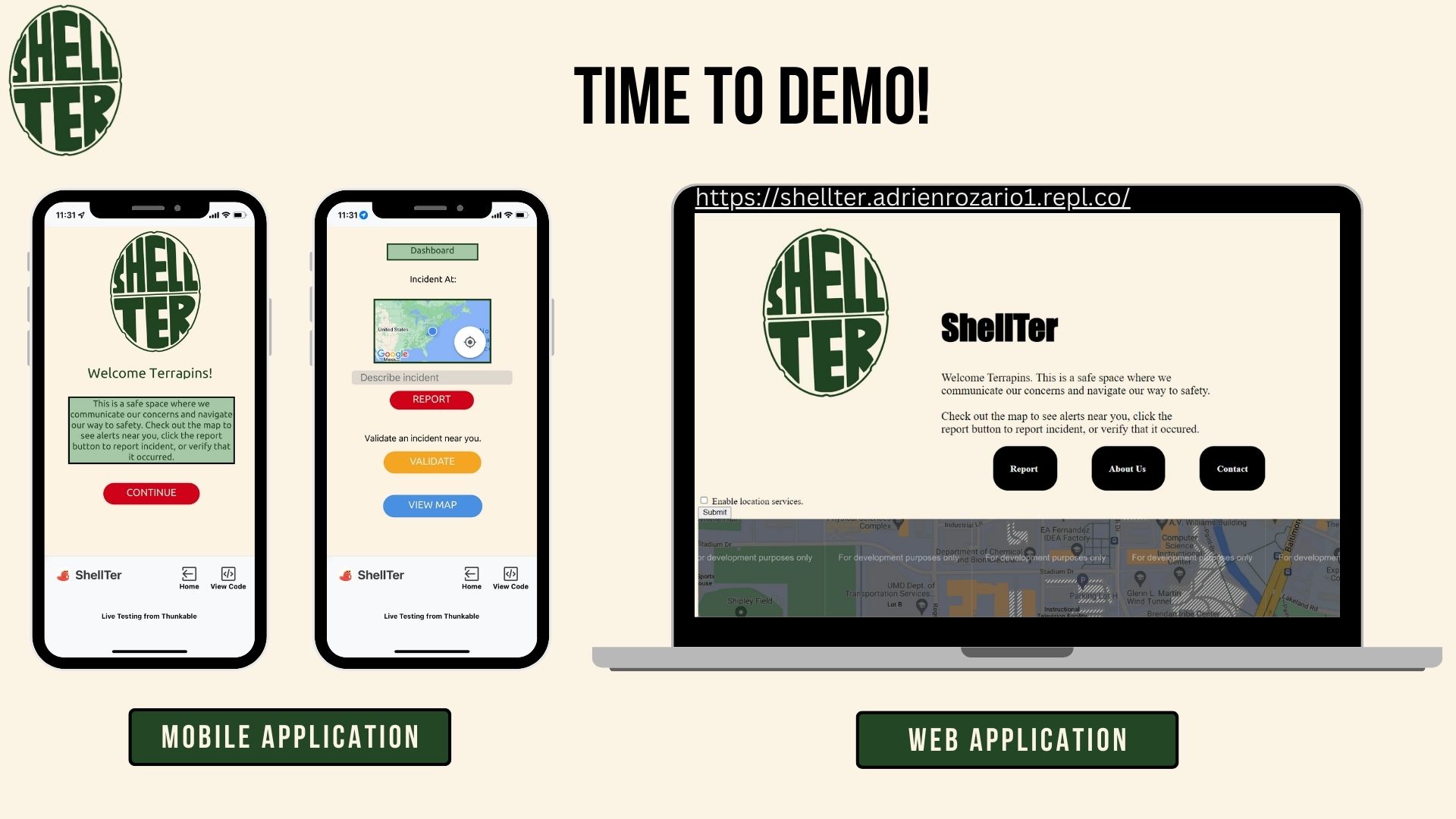
ShellTer is both an app and a website that allows a student or staff on campus to view reports of incidents in the area, report their own incident, or validate an incident that they witnessed. It serves as a platform for communicating and navigating to safety quickly and effectively.
How we built our project
Our project was built using HTML, CSS, JavaScript on repl.it for the website, as well as Thunkable for the app.
Here is a code snippet of the Google Maps API in HTML:
								//in script
								function myMap() {
								  var mapProp = {
									center: new google.maps.LatLng(38.9892649450202, -76.93705005918255),
									zoom: 17,
								  };
								  var map = new google.maps.Map(document.getElementById("googleMap"), mapProp);
								}
								//end script

								//in script
								src="https://maps.googleapis.com/maps/api/js?key=AIzaSyAb5exhyBG7redyEvDWZH4Zow2u6jTXDN4&callback=myMap">
								//end script
And in script.js:
							function initMap() {
								const umd = { lat: 38.9869, lng: 76.9426 };
								const map = new google.maps.Map(document.getElementById("map"), {
								  zoom: 2,
								  center: umd,
								});
								const marker = new google.maps.Marker({
								  position: umd,
								  map: map,
								});
							}

							  window.initMap = initMap;
Location tracking in script.js:
								window.onload = () => {

									let h1 = document.getElementById("location");
									//allows us to change the location later

									navigator.geolocation.getCurrentPosition((position) => {
										let latitude = position.coords.latitude;    // This gets us the latitude
										let longitude = position.coords.longitude;  // This gets us the longitude
									}
								}
Result:
What's next for ShellTer
In the future we plan to implement other features such as showing a brief description of the report if you hover over the marker. Also when someone reports, we will have an option for them to pick the level of emergency: low risk, medium, risk or high risk. Based on the risk level, their report will show up as a marker on the map for a respective amount of time. Low risk: 6 hours. Medium risk: 12 hours: High risk: 24 hours. We would want to develop a system to keep track of the data of the users reports so that they can be accessed by us and others. We also want to make it more user friendly and design the app and website better according to the theme. Additionally, we're thinking that it should be adaptable to other universities/colleges/schools/offices/etc.
Lemonaid
Submitted Hack at BitCamp 2o23
Inspiration
For this project we were inspired by highly interactive games and apps such as beReal and Candy Crush, and have applied it to the field of health and wellness. Often people have trouble keeping up with their daily task such as water intake, so we’ve worked to make it an easier and more tangible experience for everyday life.
What it does
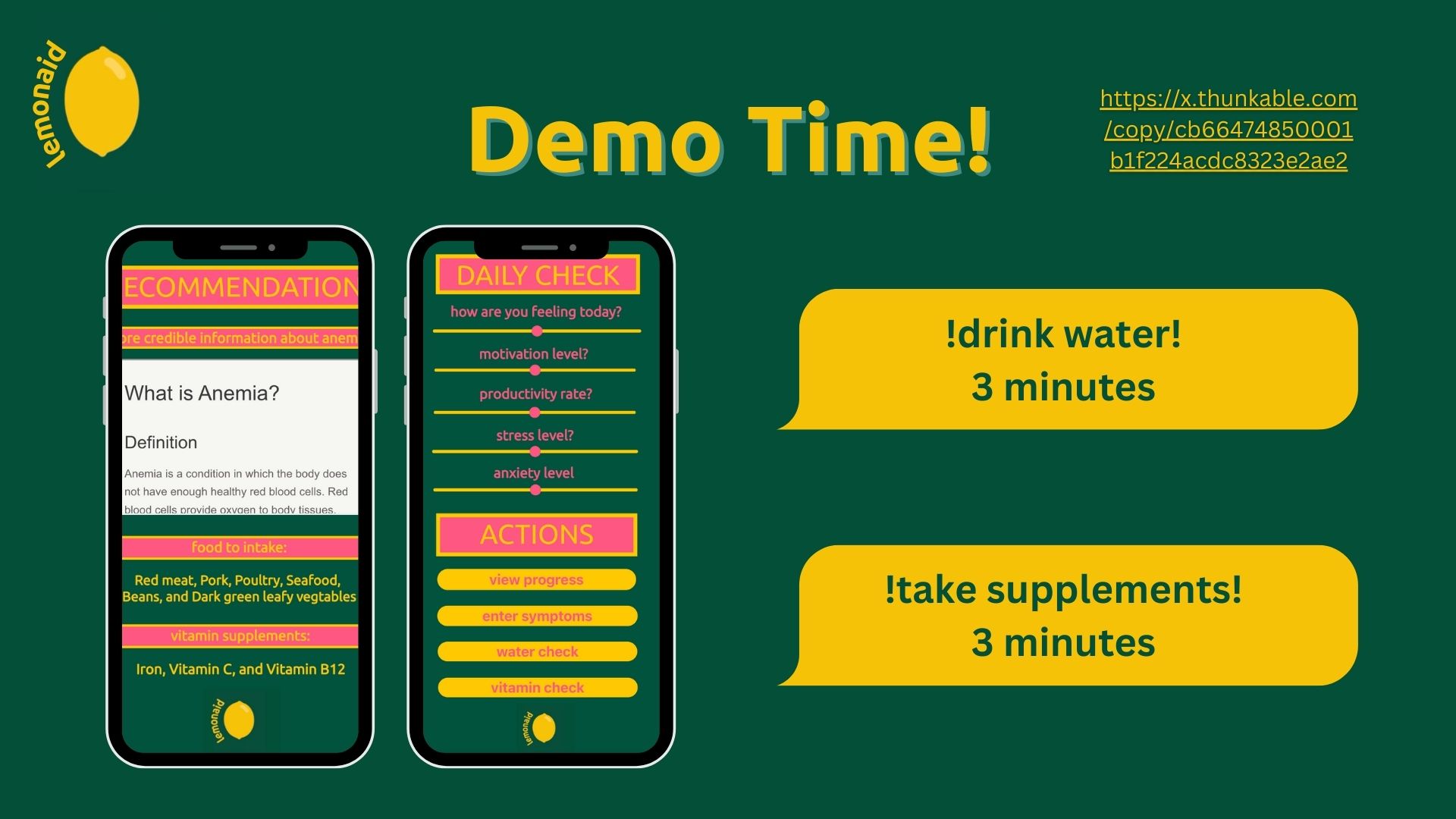
Our user-friendly app and website promote lasting, healthy relationships with nutrition and your body. Enjoy personalized vitamin and water gamified reminders, earning points for timeliness and consistency. Track your progress and unlock rewards like discounts at health-conscious stores and restaurants. Lemonaid is the ultimate platform for a healthier lifestyle!
How we built it
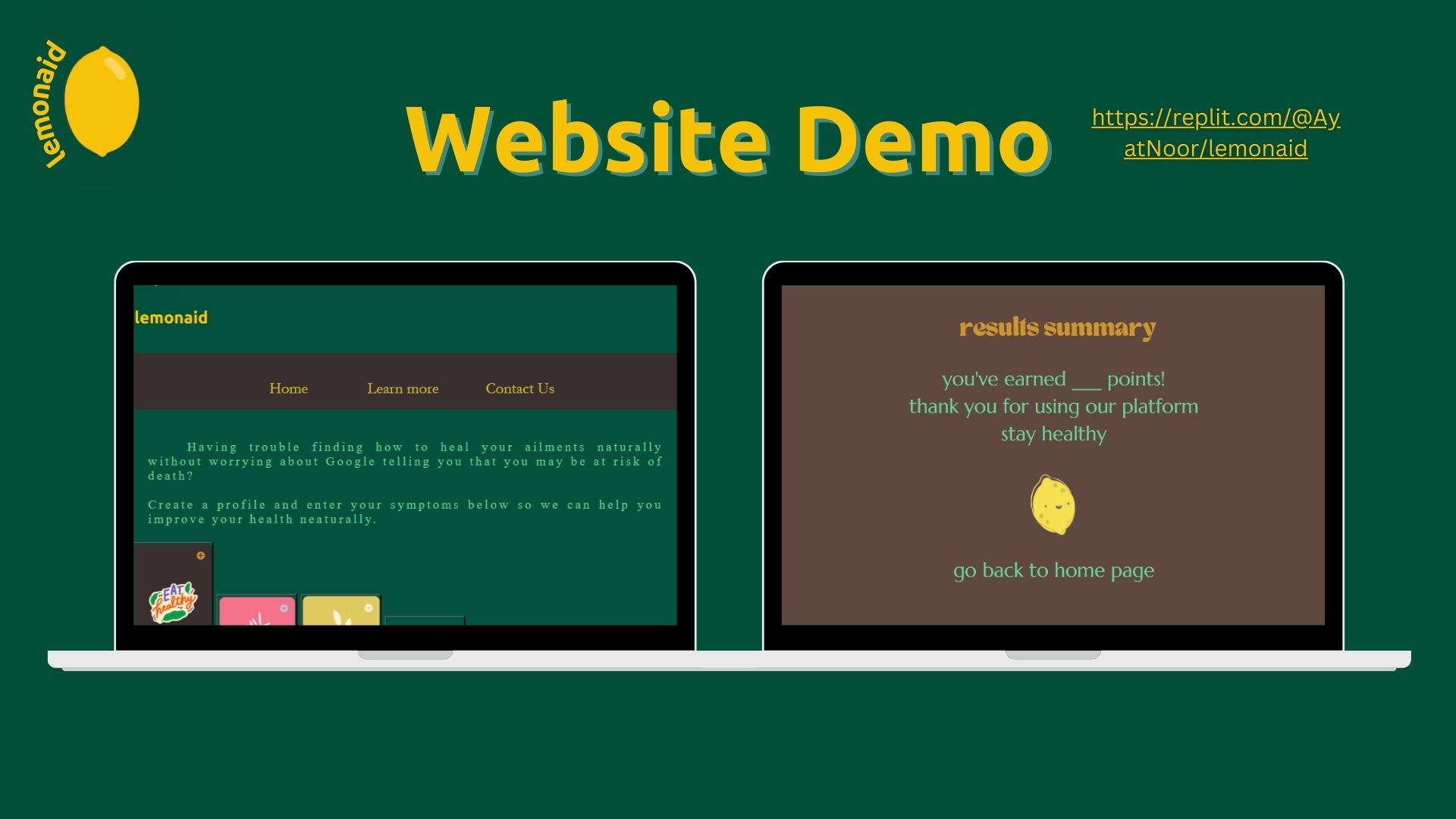
Our project was built using HTML, CSS, JavaScript on repl.it for the website, as well as Thunkable for the app.
ChaptGPT API used in HTML:
Symptoms
What's next for lemonaid
Soon, we'll integrate ChatGPT's API, allowing symptom input and reliable health advice from our up-to-date AI model, which pulls data from credible health databases. Choose Lemonaid, your guide to a healthier, happier you!